
Amrudin Ćatić
Strategy, creativity, and technology are combined to craft digital experiences that perform. Smart marketing meets creative execution, always focused on growth, problem-solving, and real impact.
How to automate your content workflow without writing a line of code
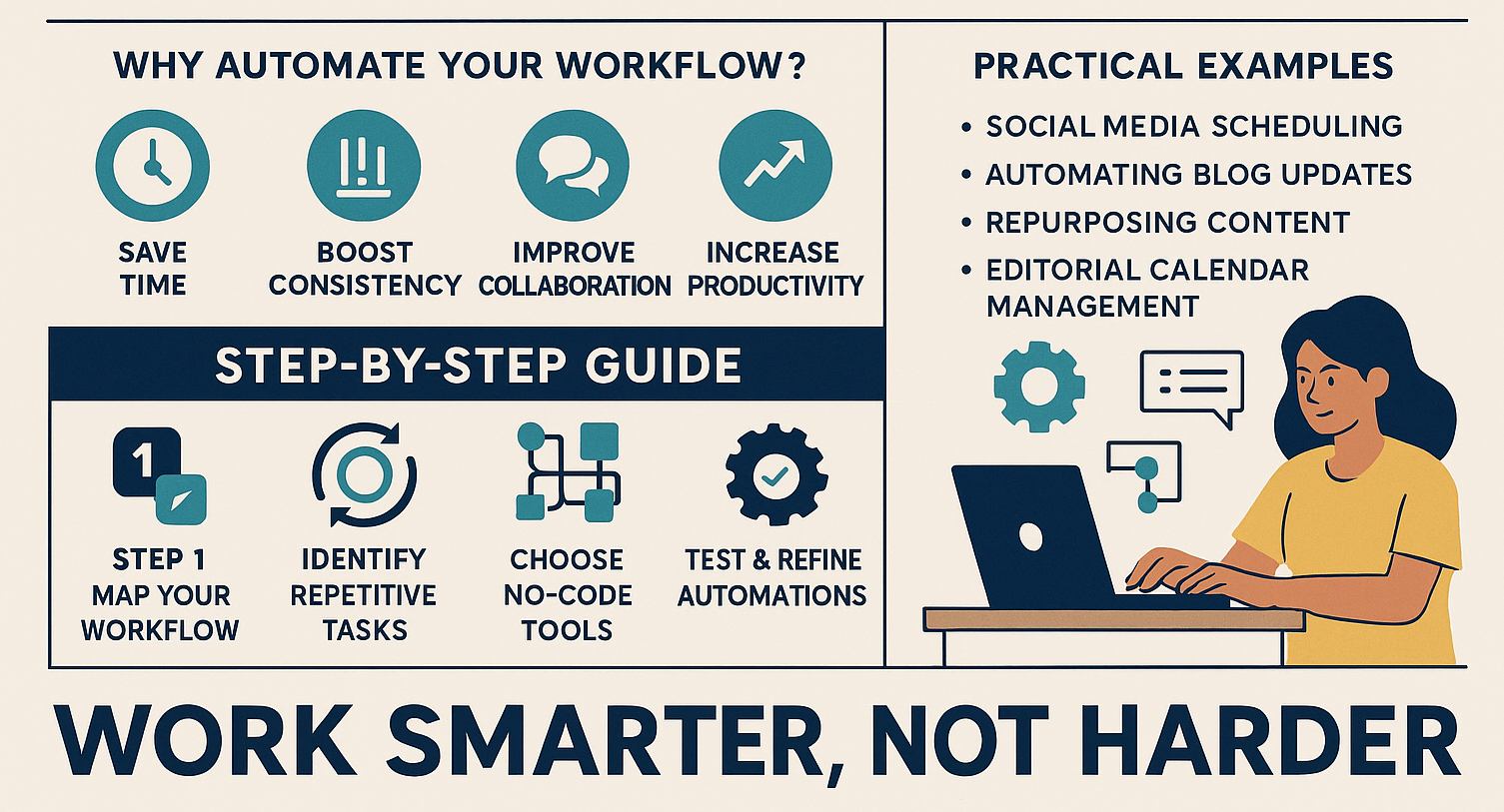
This article will guide you step by step through the process, showing you practical tools, strategies, and real-life examples to save hours of work each week with no-code content automation tools.
Introduction to No-Code content automation
Managing content today requires juggling multiple tasks: drafting, editing, scheduling, publishing, and analyzing. For many creators, marketers, and businesses, this becomes overwhelming and time-consuming. But here’s the good news: you don’t need to hire a developer or learn programming to simplify the process. With the rise of no-code content automation tools, you can automate your entire content workflow without writing a single line of code.
Why automating your content workflow matters
Common challenges in manual content processes
If you’re still handling your content tasks manually, you’re probably familiar with these frustrations:
- Constantly switching between tools and platforms.
- Forgetting deadlines or missing scheduled posts.
- Spending too much time on repetitive tasks like formatting, uploading, or tagging.
- Struggling with content consistency across multiple channels.
Benefits of workflow automation for creators & teams
By automating your workflow, you’ll:
- Save time by eliminating repetitive tasks.
- Boost consistency across platforms.
- Improve collaboration with clear, automated processes.
- Increase productivity by focusing on strategy and creativity instead of busywork.
Automation is not about replacing creativity, it’s about freeing up time so you can focus on the work that really matters.
Understanding No-Code tools for content automation
What are No-Code platforms?
No-code platforms are software tools that let you build workflows and automations using drag-and-drop interfaces, visual dashboards, and ready-made integrations, without any programming knowledge.
Key features of No-Code automation tools
Most no-code automation platforms offer:
- Workflow builders with triggers and actions.
- Integration with popular apps (Google Docs, Slack, WordPress, Canva).
- Conditional logic to handle complex workflows.
- Reporting and analytics dashboards.
Popular No-Code automation platforms
- Zapier – Connects apps and automates tasks.
- Airtable – Combines spreadsheets and databases for content tracking.
- Notion – Manages editorial calendars and integrates with automation tools.
- Make (formerly Integromat) – Advanced automation with more customization.
If you’re interested in a broader list of SEO and digital tools for 2025, check out my SEO Tools for 2025 guide.
Step-by-step guide: Automating your content workflow without coding
Step 1: Mapping your current content workflow
Start by writing down your process from idea to publishing. For example: brainstorming → drafting → editing → designing visuals → scheduling → publishing → reporting.
Step 2: Identifying repetitive & Time-consuming tasks
Pinpoint tasks like:
- Uploading files.
- Copying blog content into CMS.
- Sending reminders to team members.
- Scheduling social posts.
Step 3: Choosing the right No-Code automation tools
Each tool serves a unique purpose:
- Use Zapier to connect apps.
- Use Airtable to manage editorial pipelines.
- Use Canva with scheduling integrations for design.
Step 4: Setting up triggers & actions (Automation blueprints)
Think of it like a domino effect:
- “When I publish a blog → Automatically share it on LinkedIn & X.”
- “When I add a new task in Trello → Send a Slack notification.”
Step 5: Testing & refining your automated workflow
Run tests, fix errors, and ensure all automations work seamlessly before going live.
You can check how to build a client CRM without code.
Practical examples of No-Code content automation
- Social media scheduling: Automate cross-posting from one platform to many.
- Automating blog updates: Automatically update your newsletter whenever you publish new content.
- Repurposing content: Convert YouTube videos into blog posts, or blogs into LinkedIn carousels.
- Editorial calendar management: Sync deadlines automatically across Trello, Notion, and Google Calendar.
Best practices for successful No-Code automation
- Start small and build gradually.
- Always double-check data consistency.
- Combine multiple tools for maximum impact.
- Document your workflows for team members.
Common mistakes to avoid
- Automating broken processes (fix them first).
- Overcomplicating workflows with too many tools.
- Forgetting to monitor or update automations.
Future of No-Code content automation
With AI integration, no-code automation will only get smarter. Tools like ChatGPT, Jasper AI, and Notion AI are blending creativity with automation, making it easier than ever to generate, publish, and distribute content seamlessly.
FAQs on Automating content workflow without coding
1. Can I automate content workflows without technical skills?
Yes, no-code platforms are designed for non-technical users.
2. What’s the best no-code tool for beginners?
Zapier is one of the most beginner-friendly tools.
3. Can automation replace human creativity?
No, automation supports your creativity by handling repetitive tasks.
4. How much time can I save with automation?
Most creators save 5–10 hours weekly.
5. Is no-code automation expensive?
Many tools offer free plans, but scaling up may require paid subscriptions.
6. Can I integrate AI into no-code workflows?
Yes, AI tools can be linked with automation platforms for smarter workflows.
Conclusion: Work smarter, not harder
Learning how to automate your content workflow without writing a line of code can transform how you create, manage, and publish content. By embracing no-code automation tools, you’ll save time, reduce stress, and increase your creative output, all without ever touching a single line of code.
The future of content creation belongs to those who work smarter, not harder. Start small, experiment with no-code tools, and watch your productivity soar.